Why More Couples and Event Hosts Are Switching to Memoreel Instead of Traditional Photo Sharing Apps
Every event creates hundreds or even thousands of memories. Weddings, birthdays, corporate gatherings, reunions, graduations, and private celebrations all generate photos and videos from guests, photographers, and organizers. The problem is not capturing memories anymore. The real challenge is collecting them in one place without making the process frustrating for guests.
For years, people relied on group chats, Google Drive folders, social media hashtags, shared albums, or event apps to gather event photos. While these solutions technically work, they often create unnecessary friction, privacy concerns, and a confusing guest experience.
That is where platforms like Memoreel are changing the experience.
This guide compares Memoreel with traditional photo sharing methods and common event gallery platforms to help couples, event organizers, and businesses understand the real differences in usability, privacy, accessibility, and overall event experience.
1. Memoreel vs Google Drive and Shared Cloud Folders
Google Drive is one of the most common solutions people use for event photo collection because it is free or already included with a Google account. Event hosts usually create a shared folder and ask guests to upload their photos manually.
At first glance, it sounds simple.
In reality, it often creates major UX friction.
Google Drive Pros
- Familiar platform for many users
- Easy to create a folder
- Free storage options available
- Good for personal backup after the event
Google Drive Cons
- Many guests need to sign in before uploading
- Upload experience is inconsistent across devices
- Older guests often struggle with permissions or login prompts
- Shared folders can accidentally expose files to everyone
- Not designed for live event interaction
- No branded event experience
- No real time photo wall experience
UX Friction Comparison
One of the biggest reasons guests stop uploading photos is because of login requirements. Even one extra step reduces participation.
With Google Drive, guests may encounter:
- Google sign in requests
- Permission approval screens
- Confusing upload interfaces
- App install prompts on mobile devices
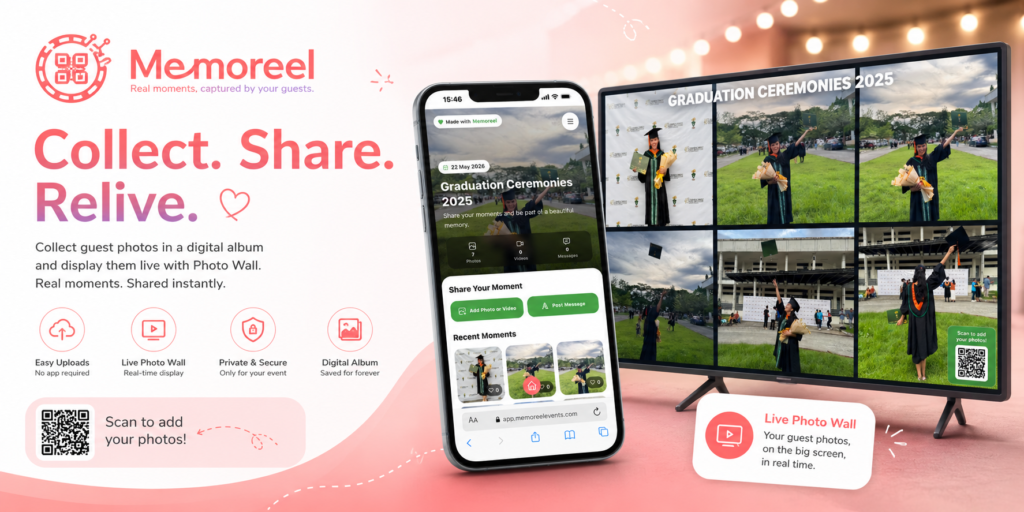
Memoreel removes most of these barriers by focusing on a direct upload experience through QR codes and simple event access. Guests can scan, upload, and continue enjoying the event without navigating cloud storage interfaces.
2. Memoreel vs Social Media Hashtags
Before QR based event sharing became popular, many weddings and events relied on Instagram hashtags or Facebook uploads to collect guest content.
While hashtags help organize public posts, they create major privacy and ownership concerns.
Social Media Hashtag Pros
- Free to use
- Familiar behavior for younger guests
- Easy for public engagement
- Helps increase event visibility online
Social Media Hashtag Cons
- Requires guests to post publicly
- Many guests do not want their photos online
- Compression reduces image quality
- Videos are heavily compressed
- Older guests may not use social media
- Difficult to collect everything in one organized gallery
- Content ownership becomes unclear
UX Friction Comparison
Social media assumes guests are willing to post publicly. That already excludes many people.
Guests also need:
- A social media account
- The correct hashtag
- Stable internet access
- Knowledge of the platform
Even then, event hosts usually spend hours searching hashtags to recover missed uploads.
Memoreel creates a centralized experience where uploads are collected directly into the event gallery without requiring guests to publicly share their content.
3. Memoreel vs Messaging Apps and Group Chats
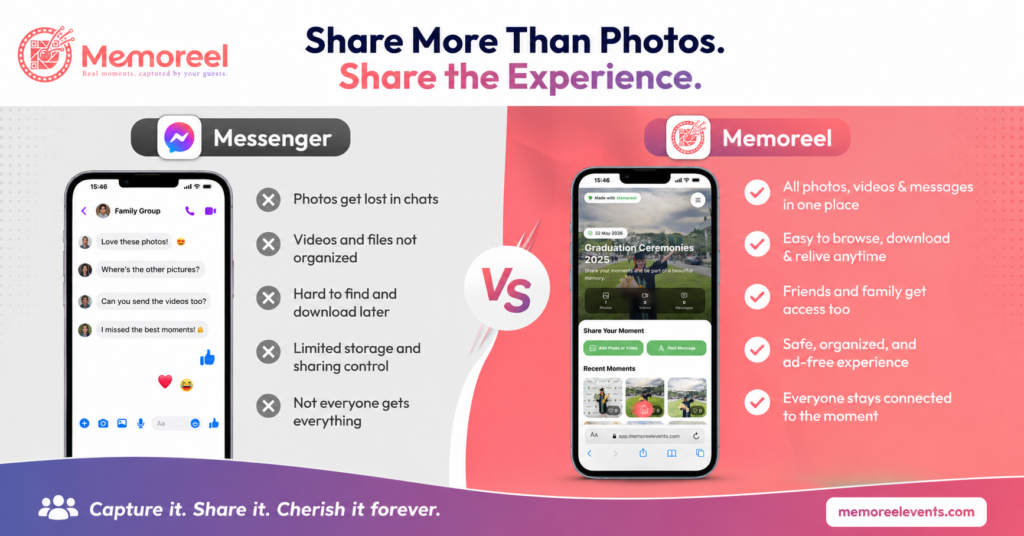
WhatsApp, Messenger, Telegram, and LINE groups are another common solution for collecting guest photos.
These apps work well for communication, but they are not optimized for event memory preservation.
Messaging App Pros
- Easy to create group chats
- Familiar to guests
- Instant sharing
- Fast communication during events
Messaging App Cons
- Media quality is often compressed
- Important photos get buried in conversations
- Difficult to organize uploads
- Hard to download everything later
- Storage limits can become a problem
- Guests may not want their phone numbers shared in group chats
UX Friction Comparison
Messaging apps create a different kind of friction.
Instead of upload complexity, they create content overload.
During busy events, guests send reactions, stickers, voice notes, and unrelated messages. Finding important photos later becomes frustrating.
Memoreel separates event memories from chat conversations, creating a cleaner and more focused experience.
4. Memoreel vs Traditional Event Photo Sharing Apps
Many event apps now offer QR code uploads and shared galleries. However, not all platforms solve the same problems equally.
Some platforms focus heavily on features while unintentionally creating complexity.
Traditional Event App Pros
- Dedicated event galleries
- QR code support
- Photo and video uploads
- Some moderation features
- Live slideshow options
Traditional Event App Cons
- Some require app downloads
- Some require guest accounts
- Interfaces can feel cluttered
- Feature overload can confuse users
- Hidden upload limitations may exist
- Some platforms prioritize marketing over usability
UX Friction Comparison
The best event platform is usually the one guests barely need instructions for.
The moment guests need to:
- Install an app
- Create an account
- Verify email addresses
- Learn a dashboard
- Navigate menus
participation starts dropping.
Memoreel focuses heavily on reducing steps between scanning a QR code and uploading memories.
That simplicity matters more than many event hosts initially realize.
A platform with fewer features but smoother usability often performs better in real world events than platforms with dozens of complicated tools.
Why User Experience Matters More Than Features
Many event hosts compare platforms based only on features.
But the reality is simple.
If guests do not upload, the features do not matter.
The best event sharing experience is usually:
- Fast
- Clear
- Mobile friendly
- Private
- Accessible without technical knowledge
Every additional step reduces participation.
That is especially important during weddings and live events where guests are distracted, socializing, eating, dancing, or moving between activities.
A complicated upload process almost guarantees lower engagement.
Final Thoughts
There is no perfect solution for every event.
Some people may still prefer Google Drive because it is familiar. Others may use messaging apps because they are convenient.
But when comparing overall experience, guest participation, privacy, and simplicity, dedicated event sharing platforms clearly provide a more modern solution.
Memoreel stands out by focusing on the actual event experience rather than just file collection.
Instead of forcing guests to navigate cloud storage systems, social platforms, or complicated apps, it creates a simple path from memory capture to memory sharing.
That difference may seem small at first.
But during a real event with hundreds of guests, it becomes the difference between collecting a few scattered photos and building a complete shared memory experience.
In the end, the easier and more private the experience feels for guests, the more memories event hosts actually receive.
And that is what matters most.